Navigating the world of gaming monitors can be daunting especially when seeking the absolute best 240Hz monitor. This comprehensive guide cuts through the noise offering vital insights for US gamers balancing life and passion. We address common pain points from setup headaches to performance optimization helping you pick a monitor that enhances your competitive edge and immersive experiences. Discover how a high refresh rate transforms gameplay reduces input lag and provides a smoother visual experience crucial for today's fast-paced titles. Whether you are a dedicated esports enthusiast or a casual player seeking fluid visuals understanding key features like panel type response time and adaptive sync is paramount. We break down budget friendly options and highlight premium choices ensuring you find a monitor that aligns with your gaming goals and real-world budget. Stay ahead of the curve without falling for hype focusing on practical value and long-term performance. Get ready to elevate your gaming setup and unlock new levels of precision and enjoyment with the right 240Hz display.
Q: What is the fundamental advantage of a 240Hz monitor for competitive gamers?
A: The core advantage of a 240Hz monitor for competitive gamers lies in its superior fluidity and reduced input lag. With 240 frames refreshing every second, you get a much clearer, smoother visual stream compared to 144Hz or 60Hz. This translates into faster target acquisition, easier tracking of fast-moving enemies, and quicker reaction times, giving you a tangible edge in games where every millisecond counts. It minimizes motion blur, making precise aiming significantly easier.
Q: How do I ensure my PC hardware can fully utilize a 240Hz refresh rate?
A: To fully utilize a 240Hz refresh rate, your PC needs a capable graphics card (GPU) and a strong processor (CPU). For 1080p at 240Hz, an NVIDIA RTX 3060/AMD RX 6600 XT or higher is a good starting point for most esports titles, while 1440p at 240Hz demands an RTX 3070/RX 6700 XT or better, ideally an RTX 40 series or RX 7000 series. Ensure your CPU isn't bottlenecking your GPU by checking benchmarks for your desired games. Proper display port cabling (DisplayPort 1.2 or higher) is also crucial.
Q: Are 240Hz OLED monitors worth the premium price in 2026?
A: In 2026, 240Hz OLED monitors are increasingly becoming a worthwhile premium for those seeking the absolute best visual fidelity and responsiveness. While expensive, they offer unparalleled contrast, true blacks, vibrant colors, and near-instantaneous pixel response times that even fast IPS panels can't match. For gamers who prioritize stunning visuals alongside competitive performance and have the budget, the immersive experience and zero motion blur make them a top-tier choice.
Q: What's the ideal screen size and resolution for a 240Hz gaming monitor?
A: For 240Hz gaming, the ideal screen size is typically 24 to 27 inches. At these sizes, 1080p (Full HD) is excellent for maximizing frame rates, making it popular for esports. However, 1440p (QHD) at 27 inches offers a sharper image without making the pixel density too high to drive 240 FPS, becoming increasingly popular for a balanced experience. Larger sizes or 4K resolution at 240Hz generally require extremely powerful GPUs to maintain high frame rates.
Q: How do I prevent screen tearing and stuttering on my 240Hz monitor?
A: To prevent screen tearing and stuttering on your 240Hz monitor, ensure you use adaptive sync technology. If you have an NVIDIA GPU, look for a G-Sync Compatible or native G-Sync monitor. For AMD GPUs, FreeSync is the solution. Enable this feature in your monitor's OSD and your graphics card control panel. Additionally, consider capping your in-game frame rate slightly below 240 FPS (e.g., 237 FPS) to keep it within the adaptive sync window and avoid input lag penalties from V-Sync.
Q: Can I use a 240Hz monitor for tasks beyond gaming, like content creation or productivity?
A: Absolutely! While optimized for gaming, 240Hz monitors with quality IPS or OLED panels excel in other areas too. The smooth motion is great for scrolling documents, video editing, or any task requiring fluid visual updates. Many modern 240Hz displays offer excellent color accuracy, making them suitable for casual content creation. Their ergonomic stands also provide comfortable viewing positions for long work sessions, proving versatile beyond the battlefield.
Q: What common myths about 240Hz monitors should I ignore when buying one?
A: Ignore myths like "humans can't see beyond 60Hz" or "240Hz offers no real benefit over 144Hz." While the jump isn't as dramatic as 60Hz to 144Hz, the difference is noticeable to experienced gamers, offering enhanced clarity and responsiveness. Another myth is that you need a top-tier GPU for *every* game at 240Hz; many popular esports titles can hit 240 FPS with mid-range cards. Also, don't believe all 240Hz panels are the same; panel type and response time critically impact performance.
Hey fellow gamers! Let's be real: balancing a job, family, and life commitments while still finding time to dominate in your favorite games is a constant juggle. We all want that competitive edge, that immersive escape, or just a truly smooth, lag-free experience when we finally sit down to play. You've heard the buzz about 240Hz monitors, and you're probably wondering if upgrading is genuinely worth it for your busy lifestyle and hard-earned cash. You're not alone. According to recent US gaming stats, an impressive 87% of gamers play regularly, with dedicated enthusiasts often logging 10+ hours a week. Many of us are looking for performance optimization without the hype, seeking value for money, and solutions to common pain points like choppy visuals or frustrating input lag.
That's where the best 240Hz monitor comes into play. It's more than just a number; it's a gateway to unlocking a new level of responsiveness and visual clarity that can transform your gaming sessions. This guide is built for you – the busy adult gamer who wants to stay current, build skills, and find relaxation without breaking the bank or getting bogged down in technical jargon. We're going to dive deep into what makes a 240Hz monitor a smart investment, how to choose the right one for your specific needs, and how to optimize it for peak performance, ensuring your precious gaming time is as enjoyable and competitive as possible. Let's make every frame count!
Why is a 240Hz Monitor the Right Upgrade for My Gaming?
Upgrading to a 240Hz monitor isn't just about showing off; it's about gaining a tangible advantage and significantly enhancing your overall gaming experience. The primary benefit is the incredibly smooth motion clarity. When your monitor refreshes 240 times per second, you see more up-to-date information on screen. This means less motion blur, allowing you to track fast-moving targets more accurately in competitive shooters like Valorant, CS2, or Apex Legends. For many, it's about reducing eye strain during long gaming sessions, a crucial factor for those of us who fit gaming into tight schedules. It translates directly into quicker reaction times, better aim, and a more fluid, responsive feel in any game, even single-player adventures where immersion benefits from buttery-smooth visuals. If you're serious about competitive play or simply crave the best possible visual experience, a 240Hz display is a game-changer.
What Key Features Should I Look For in the Best 240Hz Monitor?
Choosing the best 240Hz monitor involves more than just its refresh rate. You need to consider several critical features to ensure it meets your specific gaming needs and budget. The main factors are panel type, response time, adaptive sync technology, and resolution.
Panel Type:
There are three main types: TN (Twisted Nematic), IPS (In-Plane Switching), and VA (Vertical Alignment).
TN Panels: Historically the fastest, offering the lowest response times. They are generally the most affordable but suffer from poor color accuracy and narrow viewing angles. Still a solid choice for hardcore esports players on a budget.
IPS Panels: Offer excellent color accuracy and wide viewing angles, making them great for immersive games and even productivity. Modern 'fast IPS' panels have significantly improved response times, often rivaling TN, making them a popular balanced choice.
VA Panels: Known for superior contrast ratios and deep blacks, providing a more immersive visual experience, especially in darker scenes. However, they can sometimes exhibit 'ghosting' or 'smearing' in fast-paced games due to slower pixel response times, though this has improved in newer models.
Response Time: This measures how quickly pixels can change color. Look for 1ms GtG (Gray-to-Gray) or faster. Lower response times minimize motion blur and ghosting, which is crucial for a clear image at 240Hz.
Adaptive Sync: Essential for tear-free gaming. NVIDIA's G-Sync (native or G-Sync Compatible) and AMD's FreeSync synchronize your monitor's refresh rate with your GPU's frame rate, eliminating screen tearing and stuttering. Ensure your chosen monitor supports the technology compatible with your graphics card.
Resolution: While 1080p (Full HD) is the easiest to drive at 240 FPS, 1440p (QHD) 240Hz monitors are becoming increasingly popular for a sharper image without demanding an impossibly powerful GPU. 4K at 240Hz is still largely niche due to extreme hardware requirements.
How Does a 240Hz Monitor Impact Competitive Gameplay and Skill Building?
For gamers dedicated to climbing leaderboards, a 240Hz monitor provides a distinct competitive edge that genuinely aids in skill building. The most immediate impact is on reaction time and target acquisition. With twice the information per second compared to a 120Hz display, you can spot enemies fractions of a second sooner and track their movements more precisely. This is invaluable in games like Overwatch 2 or Call of Duty where flick shots and quick reflexes are paramount. Reduced motion blur means cleaner images, making headshots easier to land. Furthermore, the consistent fluidity allows for better muscle memory development; your brain receives more consistent visual feedback, leading to more accurate and repeatable movements over time. Many top esports pros swear by high refresh rate monitors because they simply perform better on them. It’s an investment in your performance, helping you reach your full potential.
Can My Current PC Setup Handle a 240Hz Monitor Effectively?
This is a crucial question for many gamers, as a high refresh rate monitor is only as good as the system driving it. To effectively utilize a 240Hz monitor, your PC needs a capable graphics card (GPU) and a strong processor (CPU). For popular esports titles at 1080p 240Hz, an NVIDIA RTX 3060/AMD RX 6600 XT or higher is a good starting point. However, if you're aiming for 1440p at 240Hz or playing more graphically demanding AAA titles, you'll need at least an RTX 3070/RX 6700 XT, with an RTX 40 series or RX 7000 series being ideal in 2026. Your CPU also plays a vital role in delivering high frame rates, especially in CPU-intensive games or scenarios with many players. An Intel Core i5 (12th gen or newer) or AMD Ryzen 5 (5000 series or newer) should be sufficient for most cases. Always ensure you're using a DisplayPort 1.2 or higher cable to support the full bandwidth required for 240Hz. Before buying, check benchmarks for your specific games and hardware to manage expectations.
Are There Affordable 240Hz Monitors That Still Deliver Performance?
Absolutely! While premium 240Hz monitors can be pricey, the market for the best 240Hz monitor has matured, offering excellent value for money even on a budget. You can definitely find capable 240Hz displays without emptying your wallet. Key strategies for finding affordable options include focusing on 1080p resolution, which is less demanding on your GPU and generally cheaper. Look for TN or fast VA panels, as these often provide competitive response times at a lower cost than IPS or OLED. Brands like AOC, Acer, Sceptre, and Dell often have fantastic budget-friendly offerings that still include essential features like adaptive sync. Keep an eye out for sales, especially around major shopping holidays. Remember, 'affordable' doesn't mean 'low quality'; it often means prioritizing core performance over extra bells and whistles like advanced HDR or extensive RGB lighting. Many busy gamers on a budget find these options perfect for balancing performance and financial responsibility.
How Do I Properly Set Up and Optimize My New 240Hz Monitor?
Getting your new 240Hz monitor hooked up is just the first step; proper setup and optimization are key to unlocking its full potential. Here’s a quick guide:
Physical Connection: Use a DisplayPort 1.2 (or newer) cable. HDMI 2.0 can support 240Hz at 1080p, but DisplayPort is generally preferred for consistency and adaptive sync.
Windows Settings: Right-click on your desktop, go to Display settings > Advanced display settings, and ensure your refresh rate is set to 240Hz. If not, select it from the dropdown.
GPU Control Panel: Open your NVIDIA Control Panel or AMD Radeon Software. Under ‘Change Resolution’ (NVIDIA) or ‘Display’ settings (AMD), confirm the refresh rate is set to 240Hz. Also, enable G-Sync or FreeSync here.
Monitor OSD (On-Screen Display): Navigate your monitor’s menu to ensure FreeSync/G-Sync Compatible is enabled. You might also find settings for overdrive (to reduce ghosting) or response time modes. Experiment to find what looks best.
In-Game Settings: Always ensure your game's video settings are configured to use the highest refresh rate available and that V-Sync is OFF (as adaptive sync handles tear prevention). If you're consistently hitting 240+ FPS, consider capping your frame rate slightly below 240 (e.g., 237 FPS) to keep it within the adaptive sync window and avoid any potential input lag from V-Sync if it were to kick in above the max refresh rate.
Driver Updates: Keep your graphics card drivers updated. New drivers often bring performance improvements and better compatibility with new monitors.
What About Monitor Size and Resolution for a 240Hz Display?
When it comes to the best 240Hz monitor, size and resolution are personal preferences but also impact performance. For competitive esports where every pixel counts and a quick glance across the screen is vital, 24-inch monitors at 1080p resolution are often preferred. This combination makes it easier for your GPU to hit high frame rates consistently, and the lower pixel density means less visual information to process across your field of view. However, 27-inch 1080p monitors can look a bit pixelated to some. For a more balanced experience offering sharper images without going overboard on hardware demands, 27-inch 1440p (QHD) 240Hz monitors have become a sweet spot in 2026. They provide a significant visual upgrade over 1080p, enhance immersion, and are still achievable at high frame rates with a modern mid-to-high-end GPU. Larger monitors (32-inch+) or 4K resolutions at 240Hz are beautiful but require top-tier, enthusiast-level hardware to maintain those high frame rates, making them less practical for most gamers balancing budget and performance.
How Do 240Hz Monitors Fit into My Balanced Gaming Life?
For the adult gamer, gaming isn't just about winning; it's about unwinding, connecting, and sometimes even a creative escape. A 240Hz monitor fits perfectly into this balanced lifestyle. The smoother visuals mean less eye strain, allowing for more comfortable gaming sessions after a long day at work. This focus on performance optimization lets you maximize your limited gaming time, ensuring that when you do play, it's a truly rewarding experience, free from frustrating stutters or tears. Whether you're dipping into popular social/cozy games like Palia to relax, teaming up with friends on Discord in free-to-play titles, or catching up on the latest major releases, the enhanced fluidity elevates every moment. It's about optimizing your enjoyment, reducing tech-related stress, and making your gaming setup a reliable haven where you can build skills, make friends, and simply have fun without constant hardware woes.
What are the Top "Best 240Hz Monitor" Models Trending This Month?
In 2026, the market for the best 240Hz monitor is incredibly dynamic, with several trends shaping what's popular. We're seeing a strong surge in 27-inch 1440p 240Hz Fast IPS panels, offering an excellent balance of speed, color, and resolution. Brands are pushing mini-LED and OLED technology further into the 240Hz space, with incredible contrast and near-instant pixel response times, though often at a premium price. Models with advanced ergonomic stands, built-in KVM switches for multi-device setups, and enhanced HDR capabilities are also highly sought after. Look for monitors offering a wide range of connectivity, including USB-C for single-cable solutions. While specific model recommendations can change quickly, focusing on these trending features will guide you towards the most current and performant displays hitting the market now.
How Can I Maintain My 240Hz Monitor for Optimal Longevity and Performance?
Just like any other valuable piece of tech, a 240Hz monitor benefits from a bit of care to ensure it performs optimally and lasts for years. Regular cleaning is paramount; use a microfiber cloth specifically designed for electronics and a gentle screen cleaner (never spray directly onto the screen). Avoid harsh chemicals that can damage the anti-glare coating. Ensure proper ventilation around your monitor to prevent overheating, especially during extended gaming sessions. Keep your graphics drivers updated, as new updates often include performance optimizations for displays. Periodically check your monitor's OSD settings to ensure they haven't been inadvertently changed and are still set for 240Hz and adaptive sync. Lastly, consider turning off your monitor when not in use to prolong its lifespan and save energy. These simple steps can make a big difference.
Choosing the best 240Hz monitor for your setup is a journey that pays off in spades. It's not just about raw specs; it's about finding the right balance of performance, value, and features that enhance your personal gaming experience without disrupting your balanced life. Whether you're chasing competitive glory, immersing yourself in vast open worlds, or simply unwinding with friends, a 240Hz display offers a level of fluidity and responsiveness that truly elevates every moment. By considering panel type, response time, adaptive sync, and your hardware, you can make an informed decision that future-proofs your setup and brings unparalleled visual enjoyment to your desk. Don't let tech confusion stand between you and peak performance.
What's your biggest gaming challenge when upgrading hardware? Comment below! We'd love to hear from you.
FAQ Section
Is 240Hz overkill for casual gaming?
For purely casual, non-competitive gaming, 240Hz isn't strictly necessary, but it's far from overkill. The buttery-smooth motion enhances immersion and reduces eye strain, making any game feel more fluid and enjoyable. While 144Hz is a great sweet spot for many casual players, if your budget allows, 240Hz offers a noticeable upgrade in visual fluidity even if you're not aiming for esports glory.
What's the ideal GPU for 240Hz 1080p?
For 240Hz at 1080p, especially in popular esports titles, an NVIDIA RTX 3060/4060 or AMD RX 6600 XT/7600 is a solid starting point. For more demanding AAA games at competitive settings, an RTX 3070/4070 or RX 6700 XT/7700 XT will provide more consistent frame rates closer to the 240 FPS mark, ensuring you get the most out of your high refresh rate monitor.
Can I use a 240Hz monitor with a console?
Yes, but with limitations. Modern consoles like the PS5 and Xbox Series X support up to 120Hz at 1080p or 1440p. While a 240Hz monitor will display the console's output perfectly, you won't be able to utilize the full 240Hz refresh rate of the monitor itself. It still offers fast response times and adaptive sync (if compatible), which are beneficial, but the extra refresh rate headroom won't be used by the console.
How important is response time for 240Hz?
Response time is extremely important for 240Hz. A fast response time (1ms GtG or lower) is crucial to prevent motion blur and ghosting, which become more noticeable at higher refresh rates. If your response time is too slow, the benefits of 240Hz will be diminished by distracting visual artifacts, making fast-paced action unclear. It’s a key spec to pair with high refresh rates for crisp visuals.
Should I get G-Sync or FreeSync for my 240Hz monitor?
The choice between G-Sync and FreeSync depends on your graphics card. If you have an NVIDIA GPU, aim for a monitor that is either native G-Sync or 'G-Sync Compatible' (which typically means it supports FreeSync Premium/Pro). If you have an AMD GPU, a FreeSync or FreeSync Premium/Pro monitor is your best bet. Both technologies achieve the same goal: eliminating screen tearing and stuttering for a smoother experience.
Ultra-smooth gameplay reduced motion blur improved competitive advantage enhanced visual clarity adaptive sync support for tear-free gaming diverse panel types IPS VA TN optimized for specific needs rapid response times ergonomic designs for comfort budget-friendly and premium options future-proofing your setup.
35

15 Best 240Hz Gaming Monitors July 2026 Top Tested Best 240Hz Gaming Monitors . 10 Best 240Hz Gaming Monitors July 2026 Expert Picks Best 240Hz Gaming Monitors 768x429 . 10 Best 240Hz Gaming Monitors For Esports July 2026 Best 240Hz Gaming Monitors For Esports . Top 5 Best 240Hz Monitors Of 2026 Which One Is Worth Your Money . Best 1080p 240Hz Gaming Monitors Under 300 For Competitive FPS In 2026 Dell24
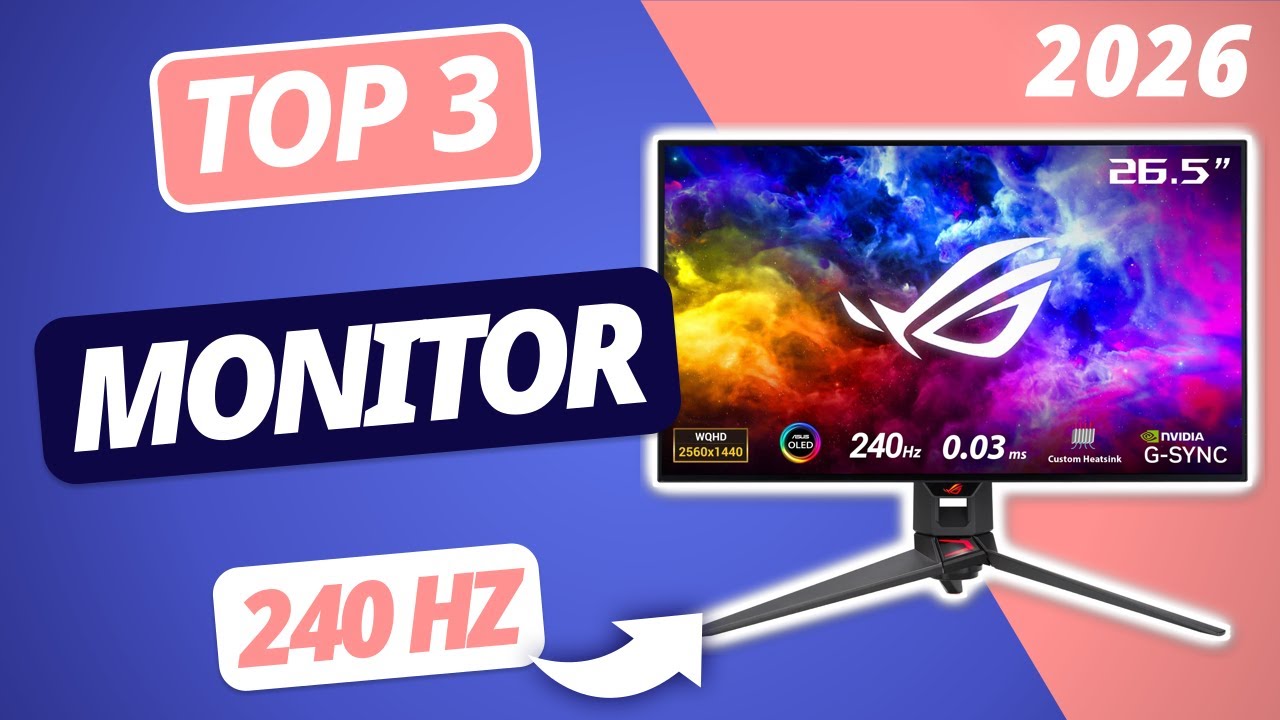


10 Best 240Hz Gaming Monitors April 2026 Expert Picks Best 240Hz Gaming Monitors 1024x559 . Top 5 Best 240Hz Gaming Monitors In 2026 Buying Guide YouTube . Der Beste GAMING MONITOR 2026 Mit 240Hz TOP 3 Monitore Im Vergleich . Najlepszy Monitor 240 Hz Ranking 2026 Odkryj TOP 5 Najlepszy Monitor 240 Hz 872x568 . Top 5 Best 240hz Gaming Monitor Expert Picks 2026 Sealan 36380438
Best 240Hz Gaming Monitor In 2026 Our Top Picks WePC Let S Build Best 240Hz Gaming Monitor . 7 Best 240Hz 4K Monitors For 2026 Gamers And Creators Digitech Bytes Top 240hz 4k Monitors Oyzn1 . Best 240Hz Monitor 2026 Buying Guide Display Ninja KTC M27T6 Monitor Review . 10 Best 240Hz Ultrawide Gaming Monitors For Competitive Esports June Best 240Hz Ultrawide Gaming Monitors For Competitive Esports 768x419 . Best 240Hz Monitor In 2026 Top Picks For Fast Refresh Rate Gaming Best 4K Monitor



12 Best 240Hz Gaming Monitors March 2026 Complete Guide 51amnlCnbPL . Best 240Hz Monitor 2026 Buying Guide Display Ninja Best HDR Monitors 1024x576 . 9 Best 240Hz Monitors In 2026 Msi Optix Mag272crx 27 Monitor . Best 240Hz Monitor In 2026 Top Picks For Fast Refresh Rate Gaming Best Pulsar Gaming Monitors . 9 Best 240Hz Monitors In 2026 Best 240 Hz Monitor


9 Best 240Hz Monitors In 2026 News Fb Image 2445 . Best 240Hz Monitor 2026 Buying Guide Display Ninja Best Gaming Monitors Under 500 USD . Best 240Hz Monitor 2026 Buying Guide Display Ninja Best Gaming Monitors Under 100 USD . ASUS PG32UCDM Review 2026 4K 240Hz OLED Gaming Monitor Best 480Hz Gaming Monitors . Best 240Hz Monitor 2026 Buying Guide Display Ninja Best 240Hz Gaming Monitors 600x338


Best 240Hz Monitor 2026 Buying Guide Display Ninja Best 27 Inch Monitors . Best 1440p 240Hz Monitors For Gaming 2026 Guide Display Ninja Best 1440p 240Hz Gaming Monitors . Best 240Hz Monitor 2026 Buying Guide Display Ninja Best USB C Gaming Monitors . The 5 Best 240Hz Monitors Of 2026 RTINGS Com Best 240hz Monitors 20251125 Medium . Best 240Hz Monitor In 2026 Top Picks For Fast Refresh Rate Gaming Best 480Hz Monitor For Gaming



Best 240Hz Monitor In 2026 Top Picks For Fast Refresh Rate Gaming 91t16g29KL. AC SL1500 . Best Cheap 240Hz Monitors 2026 Expert Reviews Comparisons 51sCeidxAFL . Best 240Hz Monitor 2026 Buying Guide Display Ninja Best 1440p Monitors . Best 240Hz Monitor 2026 Buying Guide Display Ninja Best Monitors With Built In KVM Switch 768x432 . 9 Best 240Hz Monitors In 2026 Veiwsonic Elite Xg270 27 Inch Monitor