Are you a busy gamer, balancing life and work, but still love diving into the creative world of Roblox? Ever dreamed of building your own captivating platformer game, complete with intricate jumps, challenging obstacles, and unique player mechanics, but felt intimidated by the scripting? You're not alone. Many US gamers, who often dedicate their precious evening hours to relaxation and skill-building, find the technical barrier of game development a significant hurdle. This comprehensive guide to platformer Roblox script development is designed specifically for you. We cut through the jargon to provide practical, actionable advice, helping you understand the core concepts of making a successful platformer. From setting up your environment and crafting responsive player controls to implementing physics, managing levels, and optimizing performance, we cover everything you need. We'll explore efficient scripting techniques, common pitfalls to avoid, and how to integrate modern Roblox features to make your game stand out. Whether you're looking to unwind with a creative project, socialize with friends by sharing your creations, or even just build a new skill, mastering the platformer Roblox script is an incredibly rewarding endeavor that doesn't have to consume all your free time. Get ready to transform your game ideas into reality with clarity and confidence. This article explores everything from basic movement to advanced mechanics, ensuring your game is engaging and performs flawlessly, even on mobile devices, which currently dominate gaming trends.
How do I make a character move and jump in Roblox?
To make a character move and jump in Roblox, you typically use a LocalScript within StarterPlayer.StarterCharacterScripts. For movement, you manipulate the Humanoid's WalkSpeed or apply forces to the HumanoidRootPart based on player input detected via UserInputService or ContextActionService. For jumping, you apply an upward impulse to the HumanoidRootPart when the jump key is pressed, often with a debounce to prevent spamming. Ground detection using raycasting is crucial to ensure jumps only occur when on a solid surface.
What is the best way to script a platformer in Roblox Studio?
The best way to script a platformer in Roblox Studio involves a custom character controller in a LocalScript for responsiveness, efficient physics handling, and robust collision detection. Use ContextActionService for cross-platform input. Implement raycasting for precise ground and wall detection. Manage player state (jumping, falling) with booleans and leverage TweenService for smooth environmental interactions like moving platforms. Prioritize client-side logic for player actions to minimize latency and ensure a fluid experience.
Are there free platformer scripts for Roblox?
Yes, there are many free platformer scripts and open-source models available on the Roblox Creator Marketplace and community forums like the Roblox Developer Forum. While these can be great starting points for learning and prototyping, it's crucial to review and understand the code to ensure it's secure, efficient, and meets your specific game's needs. Customizing these scripts will also help you learn and tailor them to your unique gameplay mechanics.
How can I improve performance in my Roblox platformer game?
To improve performance in your Roblox platformer game, focus on client-side processing for player movement and visual effects, minimize physics calculations by anchoring static parts, and utilize StreamingEnabled in Workspace. Employ efficient looping with RunService events instead of 'wait()'. Reduce unnecessary server-client communication and optimize collision detection by using raycasts over frequent 'Touched' events on complex parts. Regularly profile your game with the Developer Console.
What are common mistakes when scripting Roblox platformers?
Common mistakes in scripting Roblox platformers include relying too heavily on default Humanoid physics without customization, inconsistent input handling across devices, poor ground detection leading to 'sticky' jumps, inefficient server-side processing for client-critical actions, and neglecting performance optimization for mobile players. Another frequent error is not implementing proper error handling or debugging practices, making issues difficult to diagnose and fix.
How do I create a responsive and smooth player controller for my Roblox platformer?
A responsive player controller is the backbone of any great platformer. To achieve this, focus on a custom character script that directly manipulates the Humanoid's 'WalkSpeed' and applies 'Velocity' or 'BodyVelocity' for movement, rather than relying solely on default Roblox physics. For jumps, use 'ApplyImpulse' or directly set 'Velocity' on the HumanoidRootPart, combined with a 'debounce' mechanism to prevent double jumps. Fine-tune acceleration and deceleration by adjusting the force applied, creating a snappy feel that gamers, especially those juggling busy schedules, appreciate in their limited play time. Consider utilizing the 'ContextActionService' for robust input handling across PC, mobile, and console, which aligns with the current cross-play trends where 60% of US gamers engage across multiple platforms.
What are the essential elements of a robust platformer Roblox script for collision detection and interaction?
Robust collision detection in a platformer Roblox script involves more than just 'Touched' events. For reliable ground detection, implement a 'Raycast' downwards from the character's HumanoidRootPart. This prevents sticky jumps and accurately determines if the character is on a surface. For interacting with hazards or collectibles, use 'BasePart.Touched' events for initial detection, but then verify with 'Magnitude' checks or 'OverlapParams' for precise interaction within a defined area. This two-step approach reduces false positives and ensures clean gameplay. For moving platforms, parent the character to the platform temporarily using 'SetPrimaryPartCFrame' or by welding the HumanoidRootPart, allowing seamless movement without jitter. These methods provide the precision and reliability that veteran gamers expect, ensuring their relaxation time isn't ruined by frustrating bugs.
How can I implement double jump or wall jump mechanics effectively in my platformer Roblox script?
Implementing advanced mechanics like double or wall jumps elevates your platformer. For a double jump, store a 'canDoubleJump' boolean variable in your character's script. When the first jump occurs, set it to 'false' and reset it to 'true' upon landing (detected via raycast). When the player presses jump again mid-air and 'canDoubleJump' is true, apply a second impulse and set 'canDoubleJump' to 'false'. For wall jumps, detect proximity to a wall using 'Raycast' horizontally from the character. If a wall is detected and the player jumps, apply an opposing force and a vertical impulse. Ensure a brief 'cooldown' or 'lockout' period after a wall jump to prevent infinite climbing, providing a balanced challenge that appeals to skill-building gamers.
What's the best approach to managing player health, checkpoints, and death states in a platformer?
Effective management of player health, checkpoints, and death is crucial for platformer flow. Use a server-side script to manage the player's 'Humanoid.Health' and 'Humanoid.Died' event. When health reaches zero, teleport the player back to their last activated checkpoint. Checkpoints can be simple parts that, when 'Touched', update a server-stored variable (e.g., 'player.leaderstats.LastCheckpoint'). Upon death, reset relevant player properties (like velocity) and play a brief animation or sound effect before respawning. This robust system ensures a fair and engaging challenge, providing opportunities for players to improve their skills without excessive frustration, a key factor for adult gamers looking to unwind.
How do I integrate sound effects and visual feedback into my platformer Roblox script for a polished feel?
Sound effects and visual feedback significantly enhance a platformer's polish. For jumps, assign a distinct 'Sound' object to the character and play it using 'Sound:Play()' when the jump input is detected. Similarly, add sounds for landing, collecting items, or taking damage. Visual feedback can include 'ParticleEmitters' for jump effects (e.g., dust clouds), 'TweenService' for screen shakes on impact, or changing character material/color briefly upon damage. Manage these effects from local scripts for optimal performance, ensuring they trigger reliably and don't lag the game. This attention to detail creates an immersive experience, a primary driver for engagement among US gamers, many of whom value high-quality presentation.
What are common performance bottlenecks in platformer Roblox scripts and how can I avoid them?
Common performance bottlenecks in a platformer Roblox script often stem from inefficient loops, excessive physics calculations, or client-server communication. Avoid updating character properties rapidly in 'RunService.Heartbeat' loops if not strictly necessary. Minimize the use of 'wait()' and instead leverage 'task.wait()' for better synchronization. Instead of many individual 'Touched' events on small, frequent objects, consider regional 'OverlapParams' checks or custom grid-based collision systems. Offload visual effects and less critical logic to client-side scripts to reduce server load. For large levels, implement 'streaming enabled' to only load parts close to the player, crucial for mobile gamers who represent a significant portion of the US gaming population. Profiling with Roblox's 'Developer Console' is key to identifying and resolving these issues, ensuring a smooth experience.
How can I make my platformer accessible and enjoyable for a wide range of players, including those with limited time?
To make your platformer accessible and enjoyable for a wide range of players, especially those with limited time, focus on clear mechanics, balanced difficulty, and intuitive controls. Implement an optional tutorial or clear on-screen prompts for new mechanics. Offer varied difficulty settings or alternative paths that cater to different skill levels, allowing casual players to still progress. Design levels with distinct, manageable segments that can be completed in short bursts, ideal for gamers fitting play around busy schedules. Ensure UI is clean and easy to understand. As US gamers value social play, consider adding leaderboards, co-op challenges, or easy-to-share custom levels to foster community engagement and replayability, tapping into current trends of social and cozy gaming experiences.
Are you one of the many dedicated US gamers who balances a demanding job or family life with a passion for digital worlds? You cherish those moments when you can unwind, explore, or create, but perhaps the idea of crafting your own Roblox game, especially a dynamic platformer, feels like a time sink you just can't afford. You're not alone. The average gamer, around 36 years old, regularly dedicates over 10 hours a week to gaming, seeking relaxation, fun, and a sense of accomplishment. While 87% of us game regularly, the leap from player to creator, particularly in scripting an engaging platformer Roblox script experience, can seem daunting. Setting up controls, managing physics, and creating responsive gameplay are common hurdles.
This comprehensive guide is built for you, the busy creator looking to make the most of your valuable gaming time. We'll demystify the process of developing a compelling platformer Roblox script, breaking down complex concepts into actionable steps. We understand the pain points: wanting to build something cool without sacrificing your precious few hours, struggling with performance optimization, or needing clear, concise guidance. In this article, we'll dive deep into practical solutions, drawing from current trends in Roblox development and general gaming insights. Our aim is to equip you with the knowledge to not just create a functional platformer, but one that truly stands out, all while respecting your limited schedule. Get ready to transform your game ideas into reality and enjoy the creative process without the usual headaches.
What is a Platformer Roblox Script and Why Should I Learn It?
A platformer Roblox script refers to the code written in Lua within Roblox Studio that controls the player character's movement, interactions with the environment, and overall game logic specific to the platformer genre. This includes mechanics like jumping, running, wall-climbing, obstacle avoidance, and interacting with moving platforms or collectibles. Learning to script platformers is incredibly rewarding for several reasons. Firstly, it allows you to bring your unique game ideas to life, offering a creative outlet that goes beyond just playing. For busy gamers, it's a fantastic way to engage in skill-building and problem-solving, turning limited free time into productive, enjoyable learning. Secondly, platformers are perennially popular on Roblox, attracting millions of players and offering excellent opportunities for social interaction and community building. Mastering these scripts empowers you to create engaging experiences that can be shared with friends and a wider audience, tapping into the social gaming trend that remains dominant this month across the US.
How Do I Start Building a Basic Platformer Character Controller?
Creating a basic platformer character controller in Roblox involves scripting the player's movement and jump mechanics. Start by inserting a 'LocalScript' into 'StarterPlayer.StarterCharacterScripts'. This script will run on the client, providing responsive controls. You'll primarily interact with the player's 'Humanoid' object, which handles basic character properties like 'WalkSpeed' and 'JumpPower'.
Here's a simplified approach:
- Define Movement: Instead of directly changing 'WalkSpeed' for precise control, use 'Humanoid:Move()' or apply 'VectorForce' to the 'HumanoidRootPart'. This provides smoother, physics-based movement. Link this to input via 'ContextActionService' for cross-platform compatibility.
- Implement Jumping: For jumping, detect input (e.g., Spacebar) and apply an impulse to the 'HumanoidRootPart' using 'ApplyImpulse()'. Introduce a 'debounce' variable to prevent immediate double jumps. For instance, set a 'canJump' boolean to false after a jump and true only when the character reliably detects ground contact.
- Ground Detection: Essential for platformers is accurate ground detection. Use 'Raycasting' downwards from the 'HumanoidRootPart' to check if the character is standing on a surface. This is far more reliable than relying on the 'FloorMaterial' property and helps prevent 'sticky' jumps or falling through thin parts.
By starting with these fundamental principles, you establish a strong foundation for your platformer Roblox script, ensuring your player character feels responsive and fun to control.
What Are Key Physics Principles for Realistic Platformer Jumps and Movement?
Realistic physics are crucial for a satisfying platformer experience, allowing players to instinctively understand how their character will move and react. Understanding these principles will greatly improve your platformer Roblox script:
- Gravity: Roblox's default gravity (Workspace.Gravity) is 196.2 studs/second². You can modify this in your game for different jump heights or atmospheric effects. A lower gravity makes jumps floatier, while higher gravity makes them snappier.
- Friction and Velocity: 'Humanoid.WalkSpeed' determines horizontal velocity. To create a more natural feel, gradually accelerate and decelerate the player instead of instantly reaching max speed. This can be done by applying forces over time. Similarly, manage friction on surfaces to prevent unwanted sliding, especially on sloped platforms.
- Jump Arc and Apex: The duration of a jump and its height are determined by the initial upward velocity and gravity. To achieve a satisfying jump arc, finely tune the initial impulse. A common technique is to allow a short 'variable jump height' where releasing the jump button early results in a shorter jump, giving players more control – a feature highly valued by players seeking skill-based challenges.
- Collision Layers and Groups: Utilize Roblox's 'Collision Groups' to control which parts interact with each other. This is invaluable for preventing characters from colliding with specific level elements or for creating one-way platforms. Proper use of collision groups reduces physics bugs and optimizes performance.
By consciously manipulating these physics properties, you can create a unique feel for your platformer, making it stand out in the crowded Roblox game space.
How Can I Optimize My Platformer Roblox Script for Performance?
Performance optimization is key, especially for US gamers who often play on a mix of PC, console, and mobile devices (mobile gaming still dominates in user numbers this month). A laggy game is a quickly abandoned game. Here’s how to ensure your platformer Roblox script runs smoothly:
- Client-Side Processing: Offload as much non-critical logic as possible to local scripts (client-side). Player movement, animations, and visual effects (like particles) should ideally be handled on the client to reduce server load and improve responsiveness. Only send essential information (like player position updates or critical game state changes) to the server.
- Efficient Loops and Updates: Avoid excessive 'while true do wait()' loops. Instead, use 'RunService.Heartbeat' (for physics-related updates) or 'RunService.Stepped' (for pre-physics updates) to synchronize your scripts with the game engine’s rendering loop. This ensures updates happen at the correct time without over-taxing the system.
- Minimize Physics Calculations: Large numbers of unanchored, complex parts will significantly impact performance. Anchor static level geometry and use simple 'Block' parts for collision detection when possible. For moving platforms, use 'TweenService' or 'CFrame' manipulation instead of physics-based 'BodyMovers' for smoother and less resource-intensive movement.
- Streaming Enabled: Enable 'StreamingEnabled' in 'Workspace' properties. This will only load parts of the map that are close to the player, drastically reducing memory usage and improving load times, particularly beneficial for players on older hardware or mobile devices.
- Object Pooling: For frequently created and destroyed objects (e.g., projectiles, collectibles), consider object pooling. Instead of destroying an object and creating a new one, move it off-screen and reactivate it when needed. This reduces garbage collection overhead and improves frame rates.
Regularly profile your game using Roblox Studio's 'Developer Console' (F9 in-game) to identify specific performance bottlenecks. This proactive approach ensures a fluid and enjoyable experience, even for gamers fitting in quick sessions between responsibilities.
What Are Common Pitfalls in Platformer Scripting and How Do I Avoid Them?
Even experienced developers can fall into common traps when working with a platformer Roblox script. Knowing these pitfalls can save you hours of debugging:
- Inconsistent Input Handling: Relying solely on 'UserInputService' for input can lead to inconsistent behavior across different devices. Use 'ContextActionService' for input binding. It automatically handles input across PC, mobile (touch), and console (gamepad), ensuring a seamless cross-play experience which is critical in today's multi-platform gaming landscape.
- Server-Side Movement Logic: Trying to handle all character movement and physics on the server will result in noticeable lag and a
Mastering Roblox platformer scripting, Creating engaging jump mechanics, Optimizing game performance for platformers, Understanding Roblox physics for gameplay, Building custom platformer levels, Integrating modern Roblox script features, Debugging common platformer script issues, Efficient game development practices, Social play in custom Roblox games, Budget-friendly scripting tools, Balancing gaming and creative pursuits, Cross-platform platformer design.
35#1 Gallery platformer roblox script


Get Started With Experiences On Roblox Roblox Creator Hub Platformer Template . New Platformer Template Developer Forum Roblox 2 1024x422 . Platformers Trailer Play Anytime On ROBLOX YouTube . Contoh Roblox Scripts 2026 Panduan Lengkap Untuk Pemula Jurnal Ngawi 3789630207 . Let S Make A 2D Roblox Platformer Game Ep 1 Camera
#2 Gallery platformer roblox script



New Platformer Template Developer Forum Roblox 2 685x417 . Tutorial Making A 2D Platformer Roblox Wikia Fandom Latest. New Roblox Studio Template Platformer Create Your Own Platformer Game . New Platformer Template Developer Forum Roblox 2 683x438 . ROBLOX Platformer In 1 Hour Ft GamerM8 YouTube
#3 Gallery platformer roblox script


Platformer Obby Template In Roblox Studio YouTube . NO KEY BLADE BALL SCRIPTS AUTO PARRY AUTO SPAM 2026 Fyp Roblox Blad Img. Feedback For Platformer Game Flowbound Creations Feedback Developer 2 1024x472 . Tutorial Making A 2D Platformer Roblox Wikia Fandom Latest. Roblox Survival Scripts 2026 Sea Piece Script
#4 Gallery platformer roblox script



BEST OPEN SOURCE ROBLOX EXECUTORS 2026 Technical Analysis Free Roblox Script . Script Application Roblox Coding Guide To Master Roblox Learn Roblox Scripting Web Copy . The BEST Beginner Guide To SCRIPTING In Roblox Part 3 Roblox Studio Hqdefault . What Is A Roblox Script How To Create One Hq720 9 2 1144x644 . New Platformer Template Developer Forum Roblox 2 1018x525
#5 Gallery platformer roblox script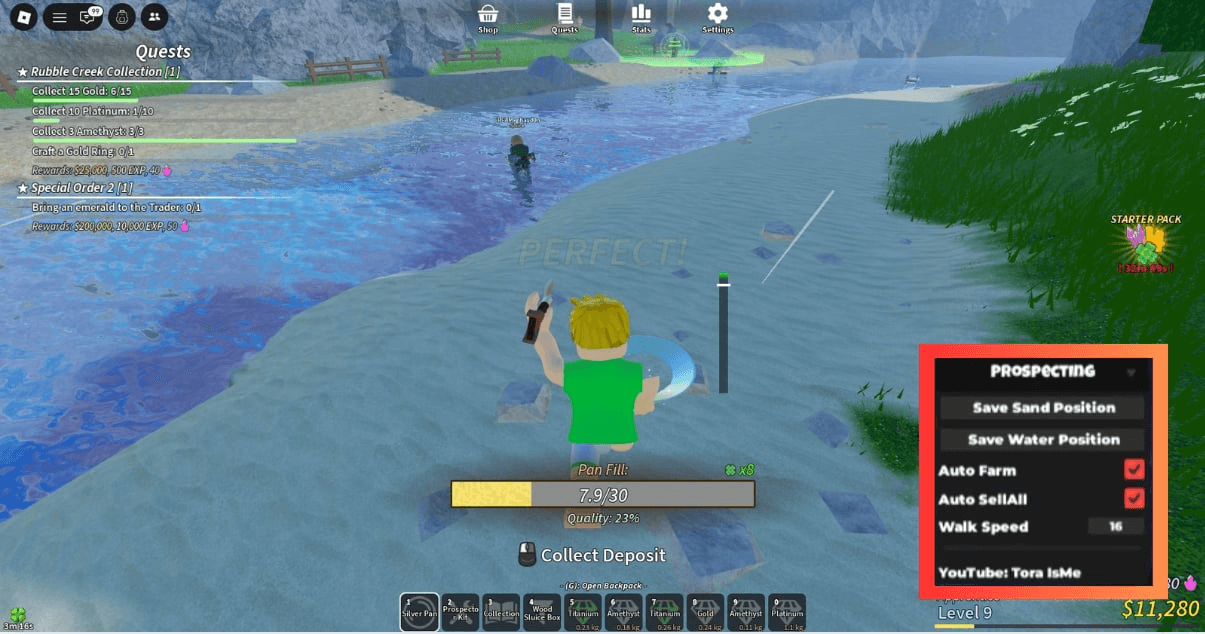


Roblox IDLE Scripts 2026 Prospecting Script . BEST OPEN SOURCE ROBLOX EXECUTORS 2026 Technical Analysis Roblox Script. Roblox Obby Scripts 2026 Flood Escape 2 Script 1024x537 . ROBLOX Super Platformer Classic Speedrun Com Cover . Best Roblox Clone Script For Gaming Startups 2026 Roblox Clone Script.webp
#6 Gallery platformer roblox script



How To Make A Roblox Game With AI Complete 2026 Guide Image. How To Message On Roblox 2026 A Quick Guide . ALL NEW INFINITE SCRIPT FIGHTING ROBLOX CODES 2026 INFINITE SCRIPT . Roblox IDLE Scripts 2026 Hire A Fisher Script 1024x539 . Guess The Word Roblox Scripts 2026 99 Nights In The Forest Wiki Guess The Word Roblox Scripts 2026
#7 Gallery platformer roblox script


How To Make A Platformer Game On Roblox Studio Part 1 YouTube . Technical Breakdown Of 10 BEST ROBLOX STEAL A BRAINROT SCRIPTS FEBRUARY Steal A Brainrot 1 . Roblox Rivals GitHub . New Roblox 3D Platformer Template Showcase YouTube . Platformer Test Roblox NoFilter

