Ever wanted to surprise a friend or family member with that hot new game on Steam but were not sure how to navigate the gifting process You are not alone Many busy gamers balancing work and life find themselves scrambling to find the quickest and most effective way to share the joy of gaming With gaming being a primary source of relaxation and social connection for millions of adults averaging around 36 years old who game regularly for over 10 hours a week gifting a game on Steam is more than just a transaction it is an act of camaraderie This comprehensive guide will walk you through every step of how to gift game Steam ensuring a smooth and successful delivery whether it is for a birthday a holiday or just because We will cover direct gifting digital gift cards and even troubleshooting common issues so you can get back to what matters most gaming Discover the simple tricks to make your gaming gifts perfect every time This article is designed for the modern US gamer who values efficiency clear instructions and maximum fun
How do I directly gift a game to a friend on Steam?
Gifting a game directly on Steam is straightforward. First, find the game you want to gift in the Steam Store. Add it to your cart. During checkout, select "Purchase as a gift" instead of "Purchase for myself." You will then choose the recipient from your Steam friends list. You can schedule the delivery for a specific date or send it immediately. Ensure your friend is on your Steam friends list, and that there are no regional price differences or restrictions that might prevent the gift from being sent successfully.
Can I send a Steam Digital Gift Card instead of a specific game?
Absolutely, sending a Steam Digital Gift Card is an excellent alternative, especially if you are unsure which game your friend wants or if you encounter regional gifting restrictions. You can purchase these directly from the Steam Store in various denominations. Similar to gifting a game, you select "Send a Digital Gift Card" and choose a friend from your list. They will receive the funds in their Steam Wallet, allowing them to purchase any game or item they desire, making it a flexible and universally appreciated gift.
What are the common regional restrictions for gifting Steam games?
Steam implements regional restrictions primarily due to pricing differences and publishing agreements across various territories. If the price difference between your region and your friend's region is too significant, or if the game is simply not available in their country, you might be prevented from direct gifting. Steam usually notifies you of these restrictions during the checkout process. In such cases, a Steam Digital Gift Card is often the best workaround, as the recipient can use their local currency to buy the game from their own region's store.
What if my friend already owns the game I tried to gift them?
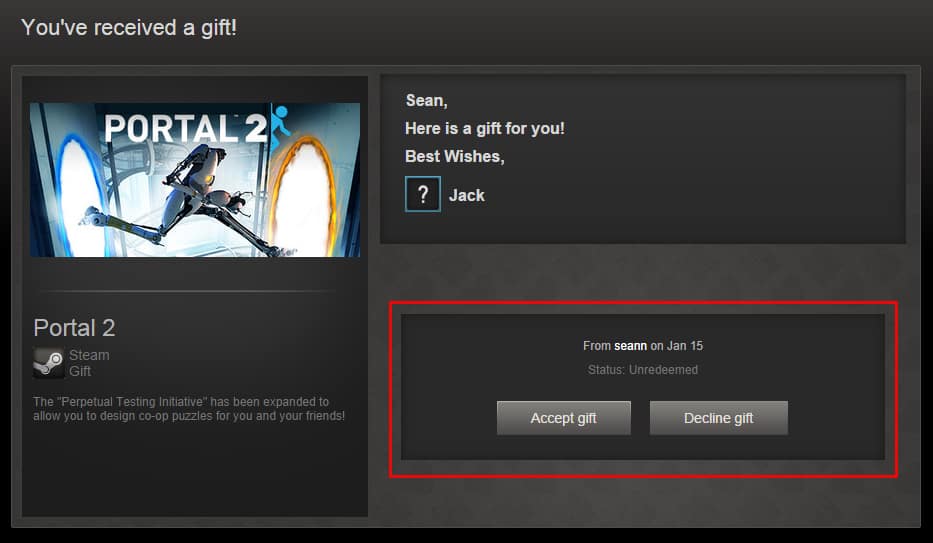
Steam has a built-in safeguard for this. If you attempt to gift a game to a friend who already owns it, Steam will notify you before the purchase is finalized. You will then have the option to either purchase the game for yourself, choose a different friend to gift it to, or cancel the transaction. If a gift somehow slips through and is sent to someone who already owns it (which is rare), the recipient can decline the gift, and it will be returned to your Steam inventory for you to gift to someone else or request a refund if eligible.
Is it possible to gift a game to someone who is not on my Steam friends list?
No, direct game gifting on Steam requires the recipient to be on your Steam friends list for at least three days. This policy helps prevent scams and ensures gifts go to known recipients. If your intended recipient is not a friend, you will need to send them a friend request first and wait the mandatory period. Alternatively, a Steam Digital Gift Card can be purchased and sent to anyone on your friends list, which they can then use to buy the game themselves.
How long does a Steam gift remain valid if unredeemed?
A Steam gift does not have an expiration date once it has been sent and is awaiting redemption. It will remain in the recipient's Steam Gifts inventory until they accept or decline it. However, it is generally good practice for recipients to redeem gifts promptly to avoid any potential issues or simply to start enjoying their new game. If a gift is declined, it is returned to the sender's inventory.
Can I refund a Steam gift after it has been sent?
Yes, you can request a refund for an unredeemed Steam gift if it meets Steam's refund policy criteria. The gift must not have been redeemed by the recipient, and the request must be made within 14 days of purchase. If the gift has been redeemed, it can only be refunded if the recipient has played the game for less than two hours and the request is made within 14 days of redemption. The refund goes back to the original purchaser.
Hey fellow gamers! Ever found yourself scrambling last minute to find the perfect gift for a friend or family member who lives and breathes PC gaming? With our busy schedules balancing jobs and family life, it can be tough to keep up with the latest game releases, let alone navigate the ins and outs of digital gifting. But nothing beats the joy of sharing a fantastic game, a cozy indie title, or even a competitive esports experience with someone you care about. Many US gamers, around 60% of adults who play regularly, average over 10 hours a week immersed in virtual worlds, seeking relaxation, social connection, and skill development. Gifting a game on Steam is a perfect way to enhance those experiences for others.
This month, with new titles dropping and perennial favorites still topping the charts, knowing how to gift game Steam effectively is more valuable than ever. We are talking about making someone's day, enabling more social gaming sessions, or just providing that much-needed escape after a long week. Forget the setup headaches or performance woes that sometimes plague us; this guide is all about smooth sailing. We will break down every method, tackle those pesky regional restrictions, and even cover what to do if things go a little sideways. By the end, you will be a Steam gifting pro, ready to spread some digital cheer without any fuss. Let us dive in and make your next gaming gift a legendary one.
How To Gift Game Steam Directly To A Friend?
Gifting a game directly to a friend on Steam is the most common and often the simplest method, provided you both meet a few straightforward criteria. This process ensures the game lands right in their Steam Library, ready to download and play. It is perfect for surprising someone with a specific title you know they will love, perhaps one you have been enjoying together.
Here is a step-by-step guide to directly gift a game:
- Step 1: Log into Steam: Open your Steam client or log in to the Steam website.
- Step 2: Find Your Game: Browse the Steam Store and locate the game you wish to gift. Add it to your shopping cart.
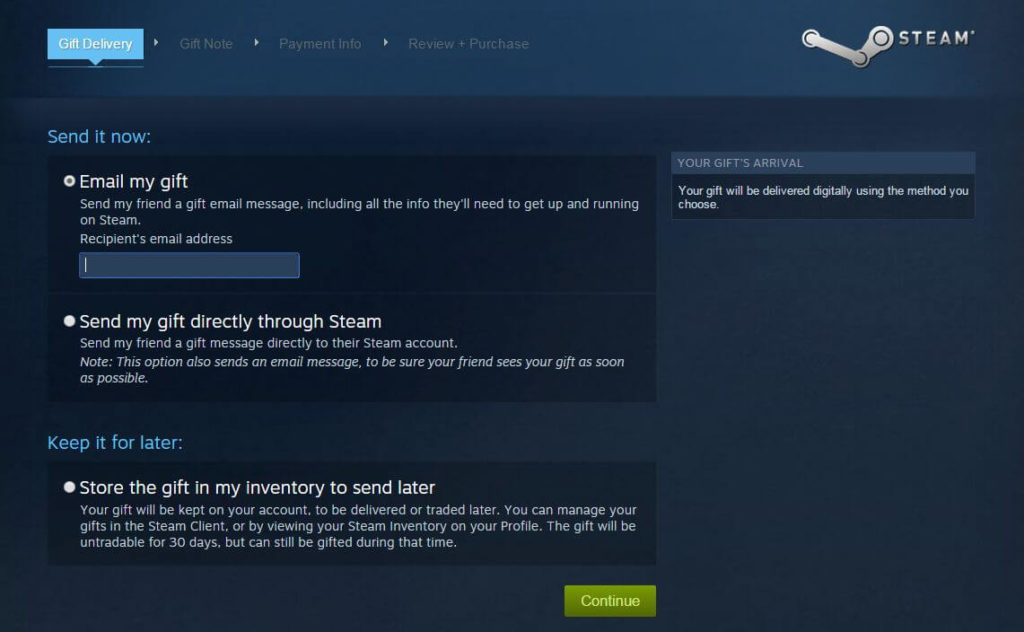
- Step 3: Choose Purchase as a Gift: During the checkout process, you will see two options: Purchase for myself or Purchase as a gift. Select "Purchase as a gift."
- Step 4: Select the Recipient: A list of your Steam friends will appear. Choose the friend you want to send the gift to. Remember, they must be on your Steam friends list for at least three days for direct gifting.
- Step 5: Personalize Your Gift: You will have the option to add a personalized message and choose a delivery date. You can send it immediately or schedule it for a special occasion like a birthday or holiday.
- Step 6: Complete the Purchase: Follow the prompts to complete your payment. Steam will confirm the transaction, and your friend will receive a notification.
Make sure to double-check that your friend does not already own the game. Steam usually warns you, but it is always good to be certain to avoid any minor inconveniences. This method is ideal for those spontaneous moments of generosity or for celebrating major gaming milestones together.
What Are Steam Digital Gift Cards And How Do They Work?
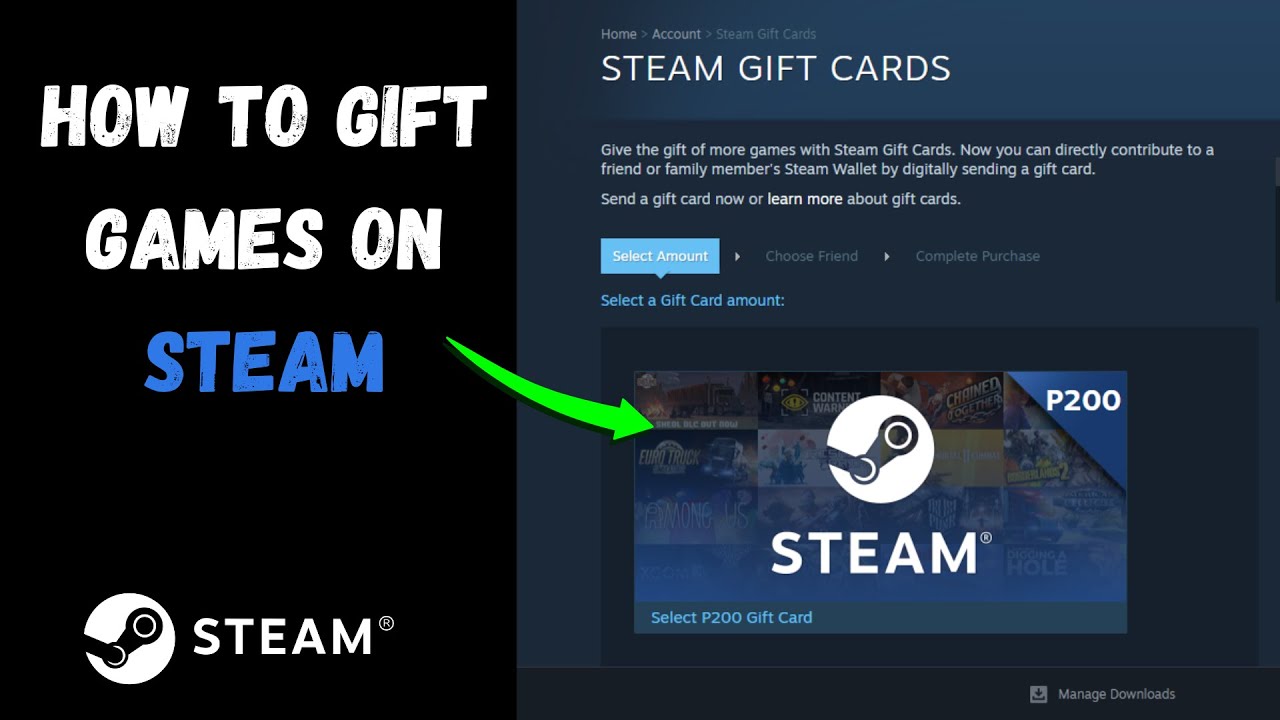
Steam Digital Gift Cards offer incredible flexibility when you are unsure about a friend's game preferences or if direct gifting restrictions pop up. These are essentially digital funds that are added to your friend's Steam Wallet, allowing them to purchase any game, DLC, or in-game item they desire from the Steam Store. It is like giving them a shopping spree in their favorite digital playground.
How to send a Steam Digital Gift Card:
- Step 1: Visit the Digital Gift Card Page: Go to the Steam Store and search for "Digital Gift Cards" or navigate directly to the dedicated page.
- Step 2: Select an Amount: Choose from various denominations such such as $5, $10, $25, $50, or $100. Select the amount that best suits your gifting needs.
- Step 3: Select the Recipient: Just like with direct game gifting, you will select a friend from your Steam friends list. They must be on your list for at least three days.
- Step 4: Add a Message and Deliver: You can include a custom message to your friend. The gift card is sent immediately to their Steam Wallet once the purchase is complete.
The beauty of digital gift cards is their versatility. They bypass most regional restrictions for games because the recipient uses their local currency to make purchases within their own region. This means fewer headaches for you and more freedom for them to pick exactly what they want, whether it is a popular new release or a classic they have always wanted to try.
Are There Any Regional Restrictions When Gifting Steam Games?
Yes, regional restrictions are a significant consideration when you how to gift game Steam, and they are a common point of confusion for many players. Steam implements these restrictions primarily due to varying pricing models, local currency exchange rates, and publisher agreements that differ from country to country. Think of it as ensuring fair market practices globally while respecting individual regional economies.
Here is what you need to know about regional restrictions:
- Price Disparity: If there is a substantial price difference for a game between your region and your friend's region, Steam might prevent you from direct gifting. This is to prevent users from exploiting regional pricing to get games cheaper.
- Game Availability: Some games might not be available in certain regions due to licensing or censorship. If a game is not sold in your friend's country, you cannot gift it to them.
- Currency Differences: Gifting usually requires the currencies to be relatively aligned or the gift to originate from a region that can send to another.
Steam usually notifies you during the checkout process if a regional restriction prevents your gift from going through. If you encounter such an issue, your best alternative is almost always a Steam Digital Gift Card. Since the gift card simply adds funds to your friend's local Steam Wallet, they can then purchase the game from their own region's store at the local price, effectively bypassing the direct gifting limitation.
Can I Gift A Game That Is Already In My Inventory On Steam?
In the past, Steam allowed users to purchase games and hold them in their inventory, gifting them later to anyone they wished. This provided a lot of flexibility, especially during sales. However, Steam significantly changed this policy back in 2017 to combat issues like grey market key reselling and region-locked game trading. As of 2026, the answer is a straightforward no.
When you purchase a game on Steam now, you have two immediate options:
- Purchase for myself: The game is added directly to your Steam Library.
- Purchase as a gift: The game is immediately sent to a chosen friend's Steam account (or scheduled for a future delivery).
You cannot buy a game and then store it in your inventory to gift at a later, unspecified time. This means if you want to gift a game, you need to know who you are gifting it to at the time of purchase. This streamlined process aims to ensure gifts are directly intended for recipients and to maintain the integrity of Steam's marketplace. While it removes some of the old flexibility, it simplifies the gifting process by making it a direct transaction.
What Happens If My Friend Already Owns The Game I Gifted?
It is an honest mistake, especially when dealing with busy gamers who might already own a vast collection of titles. Fortunately, Steam has a robust system in place to handle these situations gracefully, ensuring neither you nor your friend ends up with an unwanted duplicate. This mechanism is designed to prevent wasted purchases and keep the gifting experience smooth.
Here is the breakdown of what typically happens:
- Pre-Purchase Warning: In most cases, if you attempt to gift a game to a friend who already owns it, Steam will provide a clear warning during the checkout process. This allows you to cancel the purchase, choose a different friend, or select a different game before completing the transaction. This is your primary safeguard.
- Recipient Declines the Gift: If for some rare reason a gift does get sent to someone who already owns it (perhaps they purchased it simultaneously or via another platform), the recipient will have the option to "Decline" the gift. When a gift is declined, it is automatically returned to your Steam inventory.
- Re-gifting or Refund: Once the gift is back in your inventory, you have two main choices. You can either gift it to another eligible friend, or if it meets Steam's refund policy criteria (purchased within 14 days and not redeemed), you can request a refund. The refund would typically go back to your original payment method.
This system minimizes frustration and ensures your generous gesture is always appreciated. It is a win-win, allowing for flexibility while preventing accidental duplicate purchases.
How Do I Track The Status Of A Steam Gift I Sent?
After you have sent a Steam gift, whether it is a specific game or a digital gift card, it is natural to want to confirm its delivery and redemption. Steam makes it quite easy to keep an eye on your gifts, providing peace of mind that your thoughtful gesture reached its intended recipient. This feature is particularly useful for scheduled gifts or if you are checking in after a few days.
Here is how you can track your sent gifts:
- Step 1: Access Your Purchase History: Log into your Steam client or the Steam website. Navigate to your Account Details. You can usually find this by clicking on your username in the top right corner and selecting "Account details."
- Step 2: View Store Transactions: On the Account Details page, look for the section titled "Store & Purchase History" and click on "View purchase history."
- Step 3: Locate the Gift Transaction: Find the specific transaction for the game or digital gift card you sent.
- Step 4: Check the Status: For each gift, Steam will display its current status. Common statuses include:
- Gift Sent: The gift has been successfully sent and is awaiting acceptance by the recipient.
- Gift Accepted: Your friend has successfully redeemed the gift, and the game is now in their library or the funds are in their Steam Wallet.
- Gift Declined: Your friend chose not to accept the gift, and it has been returned to your Steam inventory.
- Gift Pending: This might occur if there was a temporary issue during delivery or if the gift is scheduled for a future date.
This tracking system is designed to be transparent, allowing you to follow your gift from your cart to your friend's eager hands. It ensures you are always in the loop about your gaming generosity.
Can I Cancel Or Refund A Steam Gift If It Has Not Been Redeemed?
Life happens, and sometimes plans change. Perhaps you bought the wrong game, or your friend acquired it through another means. The good news is that Steam does allow you to cancel or request a refund for an unredeemed gift, provided certain conditions are met. This policy offers a safety net for gift-givers, acknowledging that digital purchases sometimes need flexibility.
Understanding the refund policy for gifts:
- Unredeemed Gifts: If the recipient has not yet accepted or redeemed the gift, you can generally request a refund within 14 days of the original purchase. The game must not have been launched or played by the recipient at all.
- Redeemed Gifts: If the gift has been redeemed by your friend, the refund conditions become stricter. The game can only be refunded if the recipient has played it for less than two hours and the refund request is made within 14 days of the gift's redemption.
- How to Request a Refund: To initiate a refund, go to your Steam Help page, select "A Purchase," then find the specific gift transaction. You will see options to request a refund if it is eligible.
- Refund Destination: The refund amount will be returned to your original payment method, or you can opt to have it added to your Steam Wallet.
This policy is quite gamer-friendly, recognizing the nuances of digital gifting. It ensures that your money is not tied up in an unwanted gift and provides a path for corrections if needed, allowing you to re-gift or simply get your funds back.
What Are The Best Games To Gift On Steam This Month For Busy Gamers?
For the average US gamer, who is often balancing work, family, and social commitments, time is a precious commodity. They look for games that offer quick bursts of fun, engaging social experiences, or deep, rewarding gameplay that respects their limited hours. This month, several titles stand out as perfect gifts for this demographic, aligning with current trends like social gaming and stress relief.
Here are some top recommendations:
Cozy & Relaxing Games
Stardew Valley: Still a reigning champion for relaxation. Its farming and life simulation offers endless hours of calming gameplay, perfect for unwinding after a stressful day. No intense reflexes required, just pure zen. It is ideal for players aged 30-50 who want a peaceful escape.
Dredge: A unique fishing adventure with a dark, atmospheric twist. It offers compelling gameplay loops that are easy to pick up but hard to put down, fitting perfectly into shorter play sessions. It combines exploration and light horror elements.
Social & Multiplayer Experiences
Lethal Company: A smash hit co-op horror game that is all about working together, screaming together, and having a blast. Its short, intense rounds make it perfect for friends to jump in for an hour or two without a massive time commitment. This is excellent for keeping up with social gaming trends among friends.
Palworld: The new monster-collecting survival crafting phenomenon. It provides an open-world sandbox for exploration, crafting, and base-building, appealing to those who love creative play with friends. Its blend of familiar mechanics and unique twists offers broad appeal.
Value & Accessibility
Deep Rock Galactic: A fantastic co-op FPS with dwarves, mining, and bug-blasting. It constantly receives free updates and offers immense value, perfect for budget-conscious gamers looking for endless replayability. The community is famously friendly.
Steam Gift Card: When in doubt, a Steam Gift Card is always a winner. It gives the recipient the ultimate freedom to choose exactly what they want, ensuring they get the most value and fun out out of your gift. This is particularly good for those who are hard to shop for.
These games offer a blend of escapism, social interaction, and compelling gameplay that resonate with the modern adult gamer looking to maximize their fun without sacrificing their responsibilities. Remember, 87% of US gamers play regularly, often seeking these kinds of diverse experiences.
Gifting a game on Steam is more than just a transaction; it is a thoughtful way to connect with friends and family, share experiences, and spread a little joy. Whether you opt for a direct game gift or the flexible digital gift card, understanding the process ensures a smooth experience for both you and your recipient. We have walked through the key steps, tackled regional restrictions, and even looked at what to do if a gift goes awry. The goal is always to make your gaming connections stronger and your gifting effortless.
The world of gaming continues to evolve, with social and cozy games trending this month, alongside the ever-popular free-to-play and esports titles. Empowering your friends to jump into these experiences, or simply providing them with a much-needed break from daily life, is a gift that keeps on giving. So go ahead, find that perfect title, hit that gift button, and make someone's day a whole lot brighter. What's your biggest gaming challenge when trying to surprise a friend? Comment below and share your tips!
FAQ Section
Q: How long does a Steam gift take to deliver?
A: A Steam gift is typically delivered instantly upon purchase. If you choose to schedule it for a future date, it will arrive on that specific day. Recipients receive an email notification and a Steam client alert, prompting them to accept the gift.
Q: Can I gift a game to someone who is not on my Steam friends list?
A: No, for security and policy reasons, you can only directly gift games or digital gift cards to users who are on your Steam friends list. Furthermore, they must have been on your friends list for at least three days prior to the gift purchase.
Q: What payment methods can I use for Steam gifts?
A: Steam accepts a wide range of payment methods for gifts, including major credit/debit cards (Visa, MasterCard, American Express, Discover), PayPal, and your Steam Wallet funds. Options like Skrill, WebMoney, and local payment methods are also often available depending on your region.
Q: Is there a limit to how many games I can gift on Steam?
A: Steam does not impose a strict numerical limit on the number of games you can gift. However, it monitors for suspicious activity to prevent abuse. Ensure all recipients are legitimate friends to avoid any account flags or issues with the gifting process.
Q: Can I gift a game to someone in a different country?
A: Gifting across countries is possible, but it is subject to regional restrictions based on price differences and game availability. If a direct game gift is not possible, a Steam Digital Gift Card is usually the best workaround, as the recipient can use local funds.
Q: What if my friend declines the Steam gift?
A: If your friend declines a Steam gift, the game is automatically returned to your Steam inventory. From there, you can choose to gift it to another eligible friend or request a refund if the purchase falls within Steam's 14-day refund policy for unredeemed gifts.
Q: How can I ensure my gifted game is compatible with my friend's PC?
A: While Steam does not automatically check system compatibility for gifts, it is good practice to discreetly ask your friend about their PC specifications or check the game's minimum requirements against what you know of their setup. Most modern games are generally well optimized.
Direct Steam gifting to friends, sending digital gift cards, checking regional restrictions, understanding Steam gift redemption, troubleshooting common issues, ensuring the recipient receives their gift, navigating Steam's gifting policies.
35


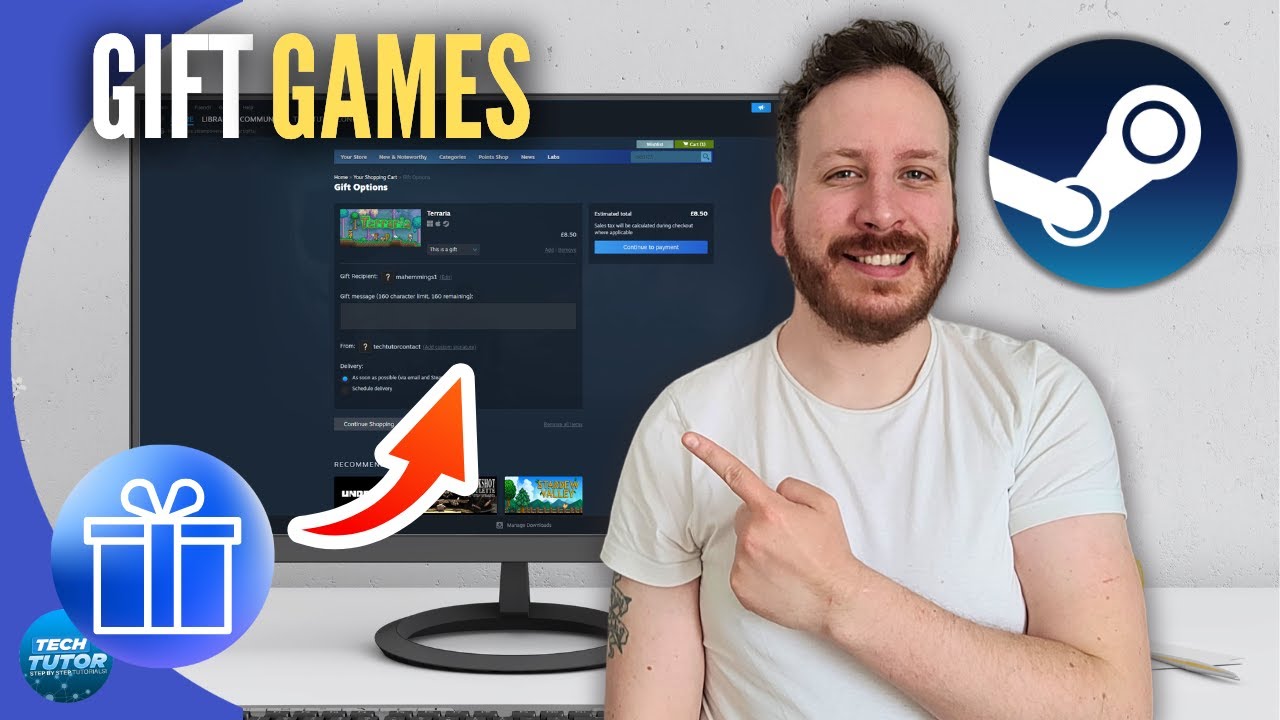
How To Gift Games On Steam 2026 Step By Step YouTube . How To Gift Games You Already Own On Steam 2026 Updated Tutorial . How To Gift Games On Steam To Friends YouTube . How To Gift A Steam Game Screenshot 3 25 768x517 . How To Gift A Steam Game 5 11 768x604




How To Gift Games On Steam Easy Guide YouTube . Steam How To Gift Games Tutorial YouTube . How To Gift Games On Steam YouTube . How To Gift Games On Steam Full Guide YouTube . How To Gift A Steam Game Screenshot 4 24 768x517


How To Gift Games On Steam EXAMPLE INCLUDED YouTube . How To Gift A Steam Game Make Tech Easier Steam Game Gift Manage Gifts . So Verschenken Sie Spiele Auf Steam TechCult Germany Click On Select Gift Recipient . How To Gift Someone A Game On Steam Step By Step Guide V4 460px Gift Someone A Game On Steam Step 6 . The Ultimate Guide To Steam Gift Cards 2026 Edition GAMIVO BLOG Steam Gift Card Guide Scaled




How To Gift A Game You Already Own On Steam 2026 Full Guide YouTube . How To Gift A Steam Game 6 13 768x604 . Top 7 Steam Games To Buy With Your Steam Gift Card 2026 Blog 11 . How To Gift Games On Steam Gift Games On Steam Ss6 768x330 . How To Gift Games On Steam YouTube



Gift Games On Steam You Already Own At Adrienne Maldonado Blog Respond To Gift . How To Gift A Game On Steam 2024 Easy Tutorial YouTube . How To Gift Someone A Game On Steam Step By Step Guide V4 460px Gift Someone A Game On Steam Step 15 . How To Gift Games On Steam Steam Cart Purchase As Gift Button . Steam Sales 2026 Calendar Full Dates Best CD Key Deals AllKeyShop Com All Steam Events 2026


Steam Sale 2026 Key Dates You Need To Know LevelUpTalk Steam Sale Schedule 2026 08 27 2025 7c35051e 2c22 4093 96f1. How To Use A Steam Wallet Code 2026 Guide Lotkeys Lotkeys Blog Steam Xr9p .webp. How To Get Free Steam Gift Cards 8 Legitimate Methods 2026 EarnLab Free Steam Gift Cards 2026.webp. Steam Sales 2026 Calendar Full Dates Best CD Key Deals AllKeyShop Com All Steam Events 2026 1.webp. The Most Played Games On Steam For 2026 So Far Cheat Code Central Most Played Games Steam 2026 2048x1167


How To Gift Games On Steam EASY YouTube . How To Move Steam Games To Another Drive The Complete 2026 Guide Airtable 1 1536x862 . Gift Games On Steam You Already Own At Adrienne Maldonado Blog How To Gift Games On Steam6 . January 2026 Steam Wallet Pin Free Codes SEAGM News Free Pin Article SteamWallet 1200x675 . How To Gift Games On Steam 2025 Full Guide For PC Mobile YouTube